The system is called The Chartroom Logbook: a navigator's chart table made elegant. Deep navy fields printed with charts and blueprints alternate with pale frost pages; a classical serif speaks, and small tracked capitals annotate.
This page shows what ships. DESIGN.md holds the reasoning behind every rule named here, and where the two disagree the source is the truth. tools/build-docs.py writes the token values and contrast ratios, and lifts several specimens straight out of the generated pages.
Palette
Three pinned colors and one coral. Every other color is a lightness step inside one of the three families, computed to hit a contrast target, not picked by eye.
The palette is cool on purpose: Harbor Coral is the only warm thing on the page, which gives it its force. A new pin is a decision for the client.
Field
#061e45#041530#020c1dStructure
#36454f#4a5f6d#566771#5b7d90#3d6b7dWater
#7fa8b8#9dc4d2#a9cbd6#d6ecf1Light
#c3e3eb#cfdfe5#eaf3f6#f4fafcThe one coral
#ff5a5fWhat each color is for
| Color | Token | Role |
|---|---|---|
| Celestine Navy Pinned | --navy-core | The anchor. Every navy field and every chart field, photo wells, the browser's theme color. |
| Night Watch | --navy-shade | The darker navy step: the field behind the destination card photos. |
| Midnight Hull | --navy-deep | Text on frost, dark buttons, badges, overlays and the footer. |
| Chart Ink Pinned | --steel-ink | The charcoal. Body and secondary text on frost, the nav links over the hero, fine linework. |
| Harbor Steel | --steel-shade | Supporting text and the base link color. Canvas surfaces only. |
| Slate Muted | --slate-muted | Muted small print. Canvas surfaces only. |
| Steel Blue | --steel-blue | The focus ring, chosen to clear 3:1 against navy, Canvas and Sea Glass at once. Small accents. |
| Chart Label | --chart-label | Tracked uppercase annotations on Canvas: places, days, captions. Canvas surfaces only. |
| Harbor Sky | --harbor-sky | Secondary action fill with Midnight Hull text; gauge fills; the on-hold stripe; text selection; the log section's background. |
| Shallow Water | --sky-tint | Highlights on navy: chart pins, key numerals, the weather reading. Open days in the calendar. |
| Chart Rule | --chart-rule | Hairlines. Quiet on purpose: it marks an edge, not a boundary anyone has to read. |
| Pale Sky | --pale-sky | Quiet panels, and the base of the calendar's on-hold stripe. |
| Sea Glass Pinned | --seaglass | The pale. The text color on every navy field, small chrome on navy, the hover fill of dark buttons. |
| Sea Glass Deep | --seaglass-deep | What shows behind a photograph while it loads. |
| Canvas | --canvas | The one light section surface. A background only, never a text color. |
| Sea Glass Light | --seaglass-light | The polaroid mat around plates and chart insets, and caption panels. |
| Harbor Coral | --harbor-coral | The primary booking action and nothing else, always with Midnight Hull text. |
Translucent steps are written from the channel tokens, for example rgb(var(--seaglass-rgb) / 0.72). Sea Glass runs from 0.12 (borders) to 0.95 (halos); Midnight Hull from 0.72 to 0.96 for overlays. Functional labels never drop below 0.72.
- The Three Pins RuleThe palette derives from
#061e45,#36454fand#c3e3eb, plus Harbor Coral. Reference colors through the tokens, never as raw hex. - The One Coral RuleCoral marks the single most important action in a view, the Charter Smarter booking link. Never decoration, text or tags, and never two competing in one viewport: the floating bar hides itself while the closing section's coral button is on screen.
Two worlds and contrast
Every section is either navy with Sea Glass ink, or Canvas with navy and charcoal ink. There is no white section and no gray one.
The site has one color scheme (color-scheme: light). The two worlds do the work a theme would: navy for atmosphere (stats, destinations, the tour, booking), frost for detail and decisions (gallery, crew, layout, rates, availability).
On navy
A week has shape and generosity.
Body copy takes Sea Glass at 0.86. Prose links inherit the field's ink.
Annotation at 0.72
On Canvas
A week has shape and generosity.
Body copy takes Chart Ink. Prose links take Harbor Steel, and Celestine Navy on hover.
Annotation in Chart Label
Measured contrast
Computed from the shipped tokens, with a translucent ink composited over its field first, and rounded down so no pair is rounded up over a threshold. Text needs 4.5:1; large text and non-text marks such as the focus ring need 3:1.
| Sample | Pair | Ratio | Used for |
|---|---|---|---|
| Aa Sea Glass | Sea Glass on Celestine Navy | 12.1:1 | All text on navy fields. |
| Aa at 0.72 | Sea Glass at 0.72 on Celestine Navy | 6.8:1 | Secondary labels on navy: the floor for anything functional. |
| Aa Shallow Water | Shallow Water on Celestine Navy | 8.8:1 | Highlights on navy; the arrow in a leg's title. |
| Aa Sea Glass | Sea Glass on Midnight Hull | 14.4:1 | The footer, badges, dark buttons. |
| Aa Midnight Hull | Midnight Hull on Canvas | 17.3:1 | Headings and primary text on frost. |
| Aa Chart Ink | Chart Ink on Canvas | 8.7:1 | Body and secondary text on frost. |
| Aa Harbor Steel | Harbor Steel on Canvas | 5.9:1 | Supporting text and links. |
| Aa Slate Muted | Slate Muted on Canvas | 5.2:1 | Muted small print. |
| Aa Chart Label | Chart Label on Canvas | 5.1:1 | Tracked uppercase annotations. |
| 12 at 0.62 | Midnight Hull at 0.62 on Canvas | 5.3:1 | Booked, unavailable and past days in the calendar. |
| Aa Book | Midnight Hull on Harbor Coral | 6.4:1 | The primary button. |
| Aa Brokers | Midnight Hull on Harbor Sky | 7.6:1 | The secondary button on navy. |
| 7 pin | Midnight Hull on Shallow Water | 10.4:1 | Chart pins, key numerals, open calendar days. |
| ring | Steel Blue on Celestine Navy | 3.7:1 | The focus ring: one color that clears 3:1 on all three fields. On navy surfaces the ring switches to Sea Glass anyway. |
| ring | Steel Blue on Canvas | 3.9:1 | |
| ring | Steel Blue on Sea Glass | 3.2:1 |
Pairs that are never used
Recorded so that nobody reaches for them. Each has cost a bug before.
| Sample | Pair | Ratio | Instead |
|---|---|---|---|
| Sea Glass on Harbor Coral | 2.2:1 | Coral and Harbor Sky fills always take Midnight Hull. | |
| Harbor Steel on Celestine Navy | 2.4:1 | The base link color is for Canvas. A navy surface names its own link ink: Sea Glass. | |
| Chart Rule on Canvas | 1.5:1 | Chart Rule is for hairlines only. It never carries text or a boundary that must be read. |
- The Two Worlds RuleEvery section is navy or light. Canvas is the one approved light surface; Sea Glass stays available as a panel fill that reads as a panel.
- The Photographic Field RuleA light section that carries a photograph (crew, rates) is still a Canvas section. It is washed with
rgb(var(--canvas-rgb) / α), and α is solved so Chart Ink clears 4.5:1 over the photograph's darkest pixel: 0.74 on crew, 0.64 on rates. Harbor Steel, Chart Label and Slate Muted never sit on the wash; they get a Canvas panel. Re-measure when a photograph changes. - The Calendar Legibility RuleEvery calendar day state clears 4.5:1, and state is never carried by color alone: each day has hidden text, and on-hold days keep their stripe.
Type system
A classical, high-contrast serif for voice, and one geometric sans in two voices: used light for everything you read or count, and tracked out in capitals like the lettering on an instrument panel.
Aa Aa
Cormorant Garamond
400 and 400 italic. Headlines, ledes, names, the serif running text inside components.
A week aboard Celestine 0123456789
Aa
Jost, read
300 for body copy and readings, 400 for prices and the odd stressed fact. Its italic is not loaded, so a ship's name in body copy is slanted by the browser.
Short sails, long afternoons 0123456789
Aa
Jost, annotated
The same face as the label voice: always uppercase and tracked, 400 for labels, 500 for short standout labels and pin numbers, 300 for the faint print on the charts. Nothing heavier exists here.
Under sail · Book · 1 h 30 min
That is everything in assets/fonts/, and CSS may ask for nothing else: a missing weight is silently drawn at the nearest one. The families are reached through --font-display, --font-body and --font-label. Both sans tokens are Jost; they stay separate so either voice can change face alone. Each stack leads with a metric-matched stand-in (Georgia at 88.4%, Arial at 92.8%) so the swap to the webfont moves no line break.
- The Logbook Voice RuleSerif for things you would say; tracked uppercase Jost for things you would annotate or press; light Jost, in sentence case, for everything you would read or count. Never a label in Cormorant, never a paragraph in tracked capitals, never a headline in Jost. Facts follow the reading voice: an inclusion, a discount, “per person, for the week” are light Jost, even inside a card whose name is serif.
- The One Weight Per Voice RuleThe serif is 400, the label voice is Jost 400 and body is Jost 300, on every page. On the inner pages, labels and serif fragments are named in two grouped rules beside
.ledeinpages.css. A new class joins the matching group. - The Light Hand RuleBold is not part of the system. 500 is the ceiling, and only for short uppercase labels that must hold up over photography.
- The Heading Carries the Section RuleNo uppercase eyebrow sits above a heading. Uppercase strings are written in sentence case in the source and transformed by CSS, so assistive technology reads words, not letters.
Type scale
Roles are tokens, named for the job and not the value. Every size below is set live from its token.
Set sail.
People who make it happen
Open weeks at a glance
Also on the chart
Norman Island to the Baths
Clearing in and out
Every charter aboard Celestine is planned around the people on board, so no two weeks are alike.
The balance this charter was planned around, from its planning sheet. Yours is drawn to your own taste.
We head for the Baths for light swimming and a hike through the granite boulders, then on to Spanish Town for dinner ashore.
Connect with a knowledgeable broker who can get you on board Celestine right away.
per person, for the week
1 h 30 min under sail
Most popular
- The Optical Size RuleCormorant's x-height is 0.386em to Jost's 0.460em, so the serif reads about a sixth smaller at the same pixel size. Serif running text is never set below Serif text (20px), which is what sits level with 17px Jost: Side by side: Jost 17 · Cormorant 20 · and Cormorant 17, which is lost
- The Heading Leads RuleA heading takes its space from above, so it binds to the block it introduces.
--head-lead(1.25em) sits over a heading that follows content;--head-trail(0.4em) sits under every heading. Both are em, so a subhead leads by more than a title. A definition list cannot use a gridgap, which would put a term as far from its own explanation as from the next entry. The rule Clearing in The term hugs its own explanation and keeps its distance from the entry above. On a grid gap Clearing in One gap between every child, so the term floats and reads as the tail of what came before. - The Dark Field RuleLight text on navy reads smaller and thinner than the same text on Canvas. Body copy there steps up to Body on navy (18px), and running text of 14px or smaller is never lighter than 400, which is why the footer sets 400. The 46px stats numerals keep 300: at that size the hairline is the point.
- The Plain Figures RuleFigures here are data. Cormorant's default old-style 1 and 0 read as letters, so
bodysetslining-numssite-wide and anything columnar addstabular-numsbeside it. The property is not additive: a rule that setstabular-numsalone turns the old-style figures back on. $4,100 lining$4,100 old-style, never
The mark
One mark, in two inks: its own colors over light grounds, and Sea Glass on navy.

The file is assets/Celestine-Logo.svg. Its two blues (#1f2b5b and #1e5c9f) belong to the asset and sit outside the token set. On navy the same file becomes a mask over a Sea Glass fill, so the ink is the token itself. Never tint it with a CSS filter chain: iOS Safari does not clamp between steps, and drew the mark cyan.
background: var(--seaglass);
mask: url("Celestine-Logo.svg") center / contain no-repeat;   /* with the -webkit- twin */
object-position: -999px 0;   /* the img's own pixels, out of the box */
| Where | Height | Ink |
|---|---|---|
| Homepage nav, over the hero | 60px | Own colors, on the photograph |
| Homepage nav once scrolled; every inner page's nav | 46px | Sea Glass, by mask |
| Footer | 46px | Sea Glass, by mask, at 90% |
| This guide's bar | 40px | Sea Glass, by mask |
Beside it




The favicon (assets/icon.svg) sets the mark on a rounded field of Celestine Navy, the pages' theme-color. tools/build-icons.py rasterizes every other icon from it; the touch and manifest icons are square to the edge, because the platform cuts its own corners. Paradise Yacht Management's mark sits beside Celestine's in the footer at the same 46px. The Charter Smarter mark appears once, on the homepage's booking card, where it says where the coral button leads.
Grid and measure
A nine-column page grid: 1040px at most, a 32px gutter, and everything else derived from those two numbers.
Nine is chosen for the editorial 3 + 6 and 4 + 5 splits it allows; it is deliberately not a twelve-column utility grid. The grid governs page-level placement only. Components subdivide freely inside their span, because the page's natural groupings (four stats, two destinations, seven days) do not divide by nine.
One column is 87px. The widths above are worked out from the tokens by tools/build-docs.py.
Margins and rhythm
| Token | Desktop | 768px and below | Use |
|---|---|---|---|
--section-x | 56px | 24px | The horizontal page margin, everywhere: sections, nav, hero and footer. |
--section-y | 56px | 64px | Default vertical section padding. |
--section-y-lg | 96px | 64px | Emphasis: availability, and the inner pages' main sections. |
--section-y-xl | 128px | 80px | The closing booking section. |
--gutter | 32px | 24px | Between columns, and between most paired blocks. |
Vertical rhythm goes lower on a phone, not higher.
Breakpoints
| Width | What changes |
|---|---|
| 1152px and up | The nine-column line exists. Derived, not chosen: --grid-max plus twice --section-x. Compositions that need a full-width column line engage here and no earlier, or their bases overflow and wrap. |
| 1151px and below | Two-column compositions go fluid: 5fr to 6fr with an 8% alley. |
| 920px | Nav links give way to the burger and its drawer. The crew cards go to one column. |
| 900px, 800px | Charts hold their width and pan sideways. Passage plans and notes, then pilot entries, drop to one column. |
| 768px | The phone layout: margins and rhythm step down, grids go to one column, the floating bar becomes a row along the bottom. |
| 600px | The rate table turns each row into a party-size header over two season cells. |
| 500px, 480px, 430px, 380px, 360px | Small repairs: the hero headline's glass plate, the calendar to one month across, the footer address, the pictogram legend. |
- The Column Span RuleA new container takes a span token, never a hand-picked pixel width. If a block needs a width the scale does not offer, the scale is wrong: fix the tokens, not the block.
- The One Margin RuleThe horizontal page margin comes from
--section-xand nothing else. A full-bleed escape is writtencalc(-1 * var(--section-x)), so it tracks the margin. - The Shrinkable Track RuleA single-column grid is written
minmax(0, 1fr), never a bare1fr, which cannot shrink below its content. With a pannable chart inside, a bare track once ran a 390px phone page to 734px. When checking a phone layout, confirm thatinnerWidthequals the width you asked for.
Layouts
The compositions the pages are built from, drawn on the nine columns. Every split sums to nine, so edges land on the same column lines from section to section.
Blue blocks are photographs, navy blocks are charts, gray blocks are type, outlined blocks are Canvas panels. Below 1152px these go fluid, and on a phone each is a single column in source order.
The yacht: header
Six columns of headline and lede against a three-column round portrait.
The yacht: feature field
Two four-column tiles with a derived one-column alley (dashed), opened and closed by full-measure plates.
Crew
Three equal cards on the eight-column measure, centered. A post still to be announced keeps its card, with a “Coming soon” disc for a portrait.
Passage plan
Four columns of chart, sticky below the nav, against five of log.
Chart index
On navy: six columns of chart against a three-column key. A chart too wide to share a row takes all nine, with the key in three columns beneath.
Pilot entries
Four columns of chart inset against five of text, mirrored on every second entry.
Notes
Reading the plan, and Between the anchorages: a heading and lede on four columns against a definition list on five.
Also on the chart
A three-column heading against the two cross links.
Components
Sections sit flat. Only what floats over content gets a shadow, and only contained cards get a radius.
| Depth | Shadow | On |
|---|---|---|
| Float | 0 8px 24px rgba(0,0,0,0.15) | Polaroid tiles, chart insets, the plan chart's mat. |
| Lift | 0 8px 32px rgba(0,0,0,0.2) | Wide plates, the tour embeds, the menu drawer. |
| Control | 0 4px 18px rgba(0,0,0,0.35) | Any control on imagery: close buttons, the divider knob, the map opener. |
| Stage | 0 30px 80px rgba(0,0,0,0.5) | The photograph in the lightbox. |
Corners: none on buttons and section edges; 2px on mats and frames; 14 to 16px on contained panels such as the crew cards; fully round for icon-only controls and portraits.
The polaroid mat, carrying a chart inset
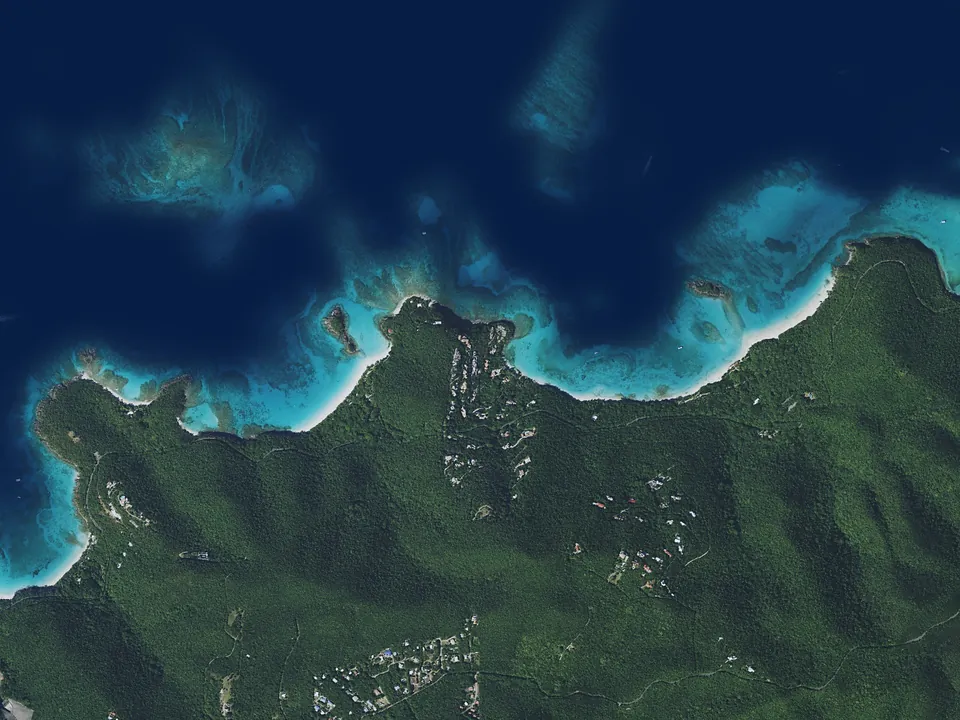
Sea Glass Light wraps the plate on three sides and deepens into a lip that carries the caption. Photographs sit square, never tilted. On the destination pages the same mat carries a chart inset, which can be swapped for a photograph. This one is lifted from usvi.html and is live: drag the divider, or focus it and use the arrow keys.
Badge
A short Standout label on a square Midnight Hull plate. One vocabulary for the hero's line, the “Most popular” tag and the photo band's caption. Never coral, never a pill.
Navigation
Uppercase Jost at 13px with 2px tracking. The link for where you are carries a 1px hairline 8px below the label, drawn as a pseudo-element so that it stops at the last letter. On the homepage it follows a reading line two fifths of the way down the viewport and draws in over 0.35s; inner pages mark Destinations, their parent.
Planning pictograms
The thirteen pictograms the crew's printed itineraries use, in assets/icons/tags.svg. They fill with currentColor: Chart Label on frost, Shallow Water on navy. In a log they stand alone at 24px, each named by its title and an accessible label; only the legend gives them visible names.
Gauges
“How the week leans”: relative emphasis from a charter's planning sheet, on a scale ruled in quarters. These are the seven-night passage's. Each fill runs once, from the left, when the block enters view.
- Snorkeling
- Beach time
- Sailing time
Calendar days
The availability grid's six states. An open day that touches a booking or a hold is a turnaround day: it is computed, never entered, and draws exactly as unavailable. Pointing at an open window above the grid inks its days.
The months drawn run only as far as the blocks are maintained. A date with no block reads as open, so an unmaintained month would advertise weeks nobody has checked.
Charts
The inner pages draw real nautical charts; they do not decorate with them. One asset carries the geography, and every chart on the site is a viewBox crop of that one drawing.
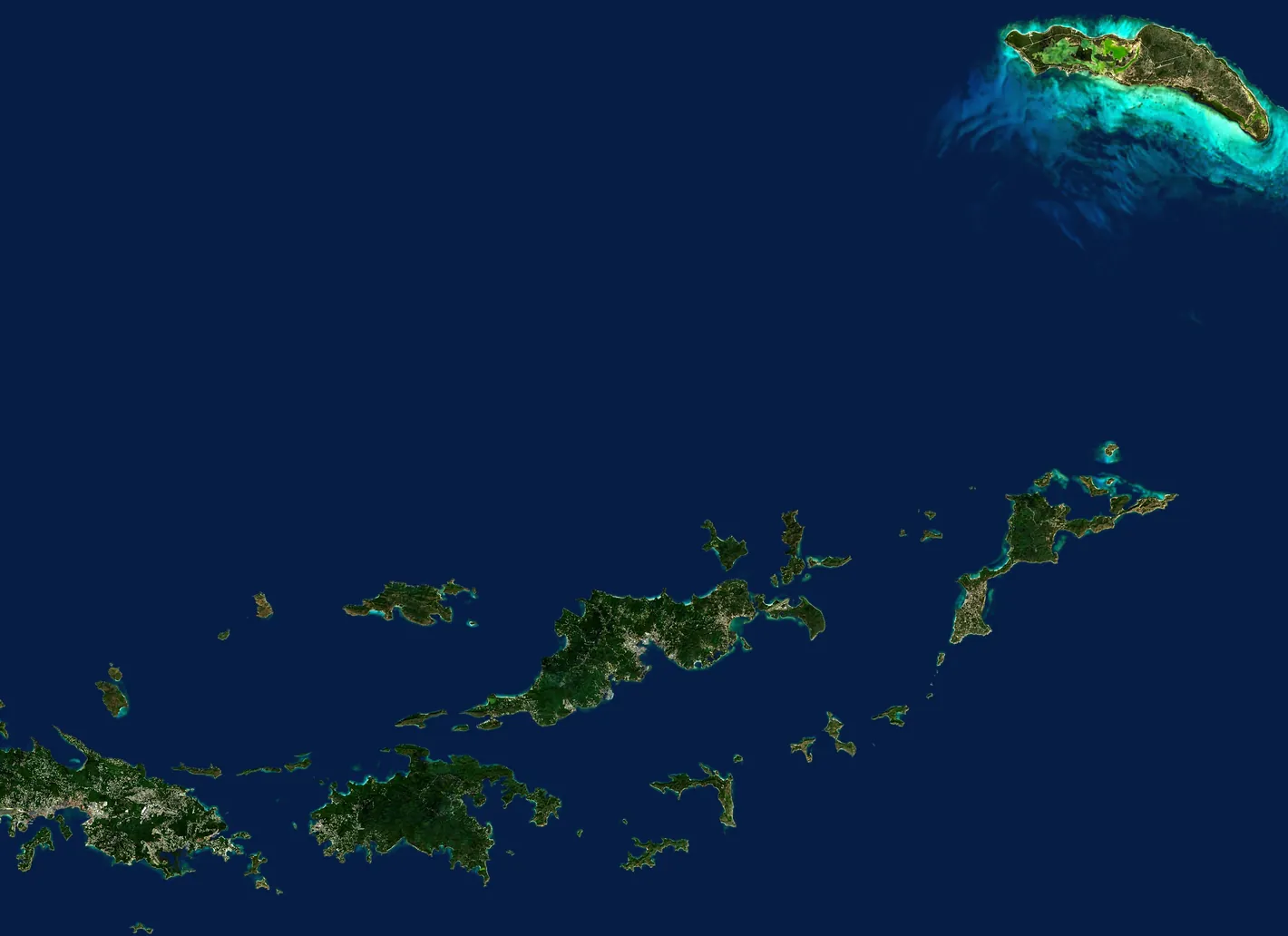
This is the seven-night plan chart and the first two entries of its log, lifted from itineraries.html. Point at an entry, or tab to a pin, and its leg lights while the others fall to 28%. The satellite view is the same window, in register; the passage stays plotted on both.
-
Day 1
SaturdayCharlotte Amalie to Norman Island
1 h under sailWelcome to the Virgin Islands. After everyone is aboard, we hold a short safety briefing and set sail for Norman Island: snorkeling at the Caves, then an evening at the Willy T, the floating bar in the Bight.
-
Day 2
Sunday
Anatomy
| Part | How it is drawn |
|---|---|
| Field | Always Celestine Navy. |
| Shoal halo, land | assets/chart/vi-land.svg referenced twice through <use>: once as a wide faint line (Sea Glass at 7%, 11px), once as the land (Sea Glass fill at 16% under a 1px line). Coastline from OpenStreetMap. |
| Furniture | In the label voice at chart scale: a graticule every tenth of a degree with edge labels, a four-point compass rose, a nautical-mile scale bar, a serif title block, and the line every chart carries: Not for navigation. |
| Routes | Dashed Sea Glass, one passage to a chart, drawn on once through a mask. A leg is the track a yacht sails: a smooth spline through waypoints in open water, turning a corner only where the yacht stops. |
| Pins, marks | HTML, so they hold their size at any chart scale and take focus: a 24px Shallow Water disc with a Midnight Hull numeral for a stop, a small ring for a place a leg passes through. |
| Satellite plate | Every chart but the itineraries hero carries one under a draggable divider. Open water in every plate is toned to Celestine Navy, so the sea is continuous across the divider and only land, reef and shallows change. |
x = (lon + 65.12) × 1000 y = (18.80 − lat) × 1054.35 1 nautical mile = 17.57 units
The divider
A role="slider" whose value text names the share of satellite. Only the knob and the line take a drag, never the whole plate, because on a phone the chart already pans sideways and the page has to scroll past it.
| Input | Effect |
|---|---|
| Arrow keys | 2%; 10% with Shift |
| Page Up, Page Down | 10% |
| Home, End | Satellite only, chart only |
| Double-click the knob | Back to rest |
Where the divider rests and how high the knob rides are chosen by hand per chart to clear its pins and labels, the same license a label's side has.
- The Chart Truth RuleChart geometry is data, never drawn by eye: coastlines come from the asset, positions from coordinates, the scale bar from the projection. A pin is where the yacht lies (the mooring field, not the beach or the town), and the generator's
check_afloat()names any pin or track that touches land. A satellite plate is emitted only at the chart's exactviewBox, so imagery is never shown out of register.
Overlays and dialogs
Four overlays, one behavior. Each is a real dialog, and each gives the keyboard back exactly where it took it.
| Dialog | Field | Opens with focus on | Also |
|---|---|---|---|
| Photo viewer (homepage) | Midnight Hull at 94% | Close | Arrow keys and a horizontal swipe turn the photo; a counter chip; a polite “Photo 7 of 17”. |
| Plate zoom (homepage) | Midnight Hull at 96% | Close | Click toggles fit and enlarged; never past the source's own pixels; its hint sits on a Midnight Hull plate so it survives white cabinetry. |
| Menu drawer (every page) | Celestine Navy, from the right, up to 24rem, over a Midnight Hull backdrop at 60%. The same nine links and Book on every page | Its first link | The burger stays on screen as the close control and is part of the focus trap. A tap on the backdrop closes it too. |
| Anchorage map (inner pages) | Midnight Hull at 96% | Close | Dormant until a MapKit token is set. Until then the opener is a link to Apple Maps, or to Google Maps off Apple devices. |
The contract: role="dialog" and aria-modal; the element that had focus is remembered; the page stops scrolling behind; Tab wraps inside; Escape closes; focus returns to where it came from. A closed overlay is visibility: hidden as well as transparent, because pointer-events: none alone leaves its links in the tab order.
The implementations are openOverlay(), closeOverlay() and onOverlayKeys() on the homepage, and toggleMenu(), onMenuKeys(), openMap() and mapKeys() in pages.js; see the JavaScript reference.
Motion
Slow and calm. Things arrive once, over most of a second, on one soft curve, and then stay put.
--ease-reveal: cubic-bezier(0.22, 0.61, 0.36, 1)
| What moves | How | Under reduced motion |
|---|---|---|
| Hero photograph | Fades in once it has loaded, 0.6s, the shortest reveal, because its length counts toward load time. None if it is ready for the first frame | 0.2s fade |
Reveal (.reveal) | 36px rise and fade, 0.8s | 0.4s fade, no movement |
| Polaroid plates, slide-ins | From 70px or 90px to the side, 0.9 to 1s | 0.4s fade |
| Gallery stage | Sharpens from gray and blurred, 1.2s; it does not move | None |
| A chart's route | Draws itself on through a mask, 2.6s; pins follow 0.14s apart | Already drawn |
| Satellite plate | Wipes in from the east, 1.5s, after the route has drawn | Already at rest |
| Gauges | Fill from the left, 1.2s, 0.1s apart | Already full |
| Nav hairline | Draws in from the left, 0.35s | Appears at once |
| Buttons, calendar days | Color swaps, 0.2 to 0.25s. A chosen window's ink fades out over 1.2s after ten seconds | Unchanged |
| Rate table mist, the seaplane | A 34s drift; one 7s flight near the page's foot | Both still |
| Footer weather | Changes harbor every ten seconds behind a 0.5s fade, on the homepage only while the footer is on screen | Homepage: holds on Tortola |
Every animation has its counterpart in the prefers-reduced-motion block at the foot of each stylesheet, and a new one needs a line there. Adding ?static to an inner page's URL resolves every entrance at once, for screenshots and print.
CSS tokens
Every custom property on :root, with its value read from the source.
The set is written twice, in assets/home.css and assets/pages.css. The two must agree, and tools/build-docs.py reports any that do not. Descriptions come from the @token tags in pages.css.
| Token | Value | At 768px and below | What it is for |
|---|---|---|---|
| Color | |||
--navy-core | #061e45 | Celestine Navy. The pinned anchor: every navy field, the chart field, photo wells, the theme color. | |
--navy-shade | #041530 | Night Watch. The darker navy step: the field behind the homepage's destination card photos. | |
--navy-deep | #020c1d | Midnight Hull. Text on frost, dark buttons, badges, overlays and the footer. | |
--navy-core-rgb | 6 30 69 | Celestine Navy as channels, for navy washes and legibility halos. | |
--navy-deep-rgb | 2 12 29 | Midnight Hull as channels, for overlays (0.72 to 0.96) and muted calendar days (0.62). | |
--steel-ink | #36454f | Chart Ink. The pinned charcoal: body and secondary text on frost, fine linework. | |
--steel-shade | #4a5f6d | Harbor Steel. Supporting text and the base link color. A Canvas-surface color: never on a photograph or on navy. | |
--steel-blue | #5b7d90 | Steel Blue. The focus ring, chosen to clear 3:1 against navy, Canvas and Sea Glass at once; small accents. | |
--slate-muted | #566771 | Slate Muted. Muted small print. A Canvas-surface color. | |
--sky-tint | #9dc4d2 | Shallow Water. Highlights on navy: chart pins, key numerals, the weather reading; open days in the calendar. | |
--harbor-sky | #7fa8b8 | Harbor Sky. Secondary action fill (with Midnight Hull text), gauge fills, the on-hold stripe, text selection. | |
--harbor-sky-rgb | 127 168 184 | Harbor Sky as channels. | |
--pale-sky | #d6ecf1 | Pale Sky. Quiet panels, and the base of the calendar's on-hold stripe. | |
--seaglass | #c3e3eb | Sea Glass. The pinned pale: the text color on every navy field, small chrome on navy, the hover fill of dark buttons. | |
--seaglass-rgb | 195 227 235 | Sea Glass as channels: borders, ghost outlines and secondary text on navy (0.12 to 0.95). | |
--canvas | #eaf3f6 | Canvas. The one light section surface. A background only, never a text color. | |
--canvas-rgb | 234 243 246 | Canvas as channels: the wash over the homepage's photographic light sections. Homepage only. home.css only | |
--seaglass-light | #f4fafc | Sea Glass Light. The polaroid mat around plates and chart insets, and caption panels. | |
--seaglass-deep | #cfdfe5 | Sea Glass Deep. What shows behind a photograph while it loads. | |
--seaglass-deep-rgb | 207 223 229 | Sea Glass Deep as channels. | |
--seaglass-mist | rgb(180 214 224 / 0.55) | Sea Glass Mist. The slow-drifting haze inside the rate table. Homepage only. home.css only | |
--seaglass-mist-clear | rgb(180 214 224 / 0) | The same color at zero alpha, so the haze's gradients fade without graying. Homepage only. home.css only | |
--chart-rule | #a9cbd6 | Chart Rule. Hairlines between log entries, facts and notes. Quiet on purpose: it marks an edge, not a boundary anyone reads. | |
--chart-label | #3d6b7d | Chart Label. Tracked uppercase annotations on Canvas: places, days, captions. A Canvas-surface color. | |
--harbor-coral | #ff5a5f | Harbor Coral. The one warm color. The primary booking action and nothing else, always with Midnight Hull text. | |
--nav-glass | rgb(205 224 231 / 0.82) | Nav Glass. Once the translucent nav bar over the homepage hero; unused now that the bar has no background. | |
--nav-glass-rgb | 205 224 231 | Nav Glass as channels. The plate behind the homepage's hero headline on a phone. | |
| Blueprint gains | |||
--blueprint-gain-1 | #4096ae | Multiply gain that rescales the blueprint1 plate so its field lands on Celestine Navy. Asset-bound: re-measure if the plate is redrawn. | |
--blueprint-gain-2 | #3d90ac | The same for the blueprint2 plate, behind the closing section. | |
| Type | |||
--font-display | 'Cormorant Garamond', 'Cormorant Fallback', Georgia, serif | Cormorant Garamond, then its metric-matched fallback. The voice: headings, ledes, names. | |
--font-body | 'Jost', 'Jost Fallback', system-ui, sans-serif | Jost, then its metric-matched fallback. Everything you read or count: paragraphs, figures, links in prose. | |
--font-label | 'Jost', 'Jost Fallback', system-ui, sans-serif | Jost again, under its own name. The tracked uppercase label voice: navigation, buttons, captions, chart furniture. | |
--type-display | clamp(48px, 8vw, 92px) | Display: the homepage hero headline only. | |
--type-headline | clamp(38px, 9vw, 58px) | Headline: section titles. | |
--type-subhead | clamp(30px, 7vw, 44px) | Subhead: a second heading inside a section. | |
--type-title-lg | 34px | Title L: closing index headings and the homepage's wide plate names. | |
--type-title | 28px | Title: every card and entry heading. | |
--type-title-sm | 24px | Title S: small titles, and every tile title on a phone. | |
--type-lead | 22px | Lead: the one serif paragraph that introduces a section. | |
--type-serif | 20px | Serif text: serif running text inside a component. | |
--type-body | 17px | Body: Jost 300 paragraphs. | |
--type-body-navy | 18px | Body on navy: one step up, because light text on a dark field reads smaller. The closing paragraph; the homepage's destination blurbs. | |
--type-small | 14px | Small: secondary facts and credits. | |
--type-label | 12px | Label: the floor for tracked uppercase annotations. | |
--leading-serif | 1.5 | Line height for serif running text. | |
--leading-body | 1.65 | Line height for body copy. | |
--leading-title | 1.15 | Line height for titles. | |
--head-lead | 1.25em | Space over a heading that follows content in the same flow (The Heading Leads Rule). | |
--head-trail | 0.4em | Space under a heading, binding it to what it introduces. | |
| Motion | |||
--ease-reveal | cubic-bezier(0.22, 0.61, 0.36, 1) | The one easing curve for entrances: soft, decelerating. | |
| Grid and measure | |||
--grid-cols | 9 | Columns in the page grid. Informational; the spans below are what rules use. Homepage only. home.css only | |
--grid-max | 1040px | Full width of the nine-column page grid. | |
--gutter | 32px | 24px | Gutter between columns. |
--col | calc((var(--grid-max) - 8 * var(--gutter)) / 9) | One column, derived from the two above. | |
--span-3 | calc(3 * var(--col) + 2 * var(--gutter)) | Three columns and their two gutters. Spans 4 to 8 follow the same pattern. | |
--span-4 | calc(4 * var(--col) + 3 * var(--gutter)) | Four columns. | |
--span-5 | calc(5 * var(--col) + 4 * var(--gutter)) | Five columns: the measure for a lede. | |
--span-6 | calc(6 * var(--col) + 5 * var(--gutter)) | Six columns. | |
--span-7 | calc(7 * var(--col) + 6 * var(--gutter)) | Seven columns. | |
--span-8 | calc(8 * var(--col) + 7 * var(--gutter)) | Eight columns. | |
--measure-read | var(--span-6) | Reading container (span 6). | |
--measure-mid | var(--span-7) | Mid container (span 7). | |
--measure-wide | var(--span-8) | Wide container (span 8). | |
--measure-full | var(--grid-max) | The whole grid (span 9). | |
| Spacing | |||
--section-x | 56px | 24px | Horizontal page margin. The only source of it: anything that breaks the margin computes from this. |
--section-y | 56px | 64px | Default vertical section padding. |
--section-y-lg | 96px | 64px | Emphasis step: the homepage's availability section, and the main sections of these pages. |
--section-y-xl | 128px | 80px | Emphasis step for the closing booking section. |
--nav-h | 89px | 70px | Height of the fixed nav bar: hero top padding, sticky offsets and scroll margins clear it. These pages only. pages.css only |
Component properties
A few custom properties are scoped to a component. They carry a measurement from the generator or from script, never a design decision.
| Property | Set by | Meaning |
|---|---|---|
--split | pages.js | The chart / satellite divider's position, in percent from the left. |
--knob-y, --split-delay | the generator, inline | How high the knob rides, and how long the satellite's entrance waits for the route. |
--chart-min | the generator, inline | The width a chart keeps on a phone, where it pans. |
--i | the generator, inline | A pin's place in the entrance order. |
--v, --nm | the generator, inline | A gauge's reading; one nautical mile as a share of an inset's width. |
--mat, --plate-ar | the stylesheets; inline per tile | The polaroid mat's width, and a plate's proportion. |
--cta-vv | both scripts | How far a phone's toolbar or keyboard has pushed the visible bottom edge up. |
--link-hover, --hero-copy-right | index.html | The link hover ink for a surface; where the hero headline's first line ends, for the haze. |
Code reference
The source comments are the documentation. The reference pages are generated from them.
| Page | Generated from |
|---|---|
| JavaScript reference | The JSDoc in assets/home.js and assets/pages.js: every function, its parameters, the events it listens for, and the shapes of the data it handles. |
| CSS reference | The doc comments in assets/home.css and assets/pages.css: every section, selector, modifier, state, script hook, custom property and breakpoint. |
ARCHITECTURE.md | Written by hand: how the site is put together, where its data comes from, and what to touch when something has to change. |
DESIGN.md | Written by hand: the reasoning behind every rule on this page. |
After changing a doc comment, a token or this page, run the builder and commit what it writes:
python3 tools/build-docs.py            # writes docs/ and updates this page
python3 tools/build-docs.py --check    # writes nothing; exits 1 if anything is out of date
An internal page, marked noindex and linked only from About this site, which credits the work this guide describes. Values here are written by tools/build-docs.py.